
When you’re working on merch, printing, signage, or branding projects, you already know how important clean artwork is. That’s where Vector Art Conversion comes in it transforms blurry, low-resolution images into sharp, scalable vector files that print beautifully on any material. Whether you’re a designer, business owner, or print shop looking for reliable artwork conversion, getting the vector file right is the foundation of a polished final product.
In today’s fast-paced world, clients expect perfect quality in less time. And honestly, that’s only possible when your artwork begins with a flawless vector.
What Exactly Is Vector Art Conversion?
Vector art conversion means taking a regular image (like JPG, PNG, BMP, GIF) and turning it into high-quality vector formats such as:
- AI
- SVG
- EPS
- CDR
Unlike raster images which are made of pixels, vectors are made of mathematical paths. This means:
- They never lose quality, no matter how large you scale them.
- They print sharp on fabric, vinyl, paper, metal, wood pretty much anything.
- They are easy to edit, recolor, resize, and adjust.
Whether your artwork is for a T-shirt print, embroidery, screen printing, engraving, or signage, vector files are the gold standard.
Why Do Designers & Businesses Need Vector Files?
If you’ve ever tried printing a logo straight from a JPG, you already know the disaster that follows blurred edges, jagged corners, and dull, faded colors.
Here’s why vector files solve all of that:
1. Crisp, Clean Printing
Vectors stay sharp at any size.
Whether you’re printing a tiny pocket logo or a 20-foot billboard, the quality stays perfect.
2. Easy to Edit
Want to change colors?
Add outlines?
Separate layers for DTG or screen printing?
Vectors make it effortless.
3. Required by Most Printers
Digital printers, DTG printers, screen printing machines, laser cutters, and sign makers all prefer vector files.
4. Ideal for Rebranding
Even if you have only a low-quality logo image, vector conversion can rebuild it into a professional format.
5. Perfect for Large Format Printing
Banners, vehicle graphics, storefront signs—these require clean, scalable art files.
Types of Projects That Need Vector Art Conversion
Here are the most common uses:
- DTG Printing
- Screen Printing
- Sublimation
- Heat Transfer Vinyl (HTV)
- Offset Printing
- Embroidery digitizing
- Laser Cutting & Engraving
- Sign Boards & Banners
- Merch Designs
- Product Packaging
Whether you’re a solo designer or handling a full production batch, vector art conversion ensures the final output looks professional and polished.
Manual vs Automatic Vector Conversion: What’s the Difference?
You may have seen online “convert to vector” generators—but here’s a reality check:
Automatic Conversion Tools
- Produce jagged shapes
- Create overlapping layers
- Fail at complex artwork
- Struggle with gradients
- Don’t maintain original color accuracy
Most print shops will reject these files instantly.
Manual Vector Art Conversion
Professionally redrawn vector art ensures:
- Smooth curves
- Clean lines
- Exact color matching
- Accurate details
- Proper layering
- Perfect scaling
Manual vector work is the only way to achieve production-ready, print-perfect results.
What Makes a Good Vector Conversion Service?
With so many providers claiming to offer fast and cheap vector conversion, it’s important to know what separates a high-quality service from a mediocre one.
1. Sharp and Smooth Line Work
The converted vector should look cleaner than the original—not distorted.
2. Accurate Colors
Pantone and CMYK color matching is key for branding consistency.
3. Organized Layers
This is important for:
- Screen printing color separations
- DTG partial layer adjustments
- Editing specific elements later
4. Fully Scalable
No warped edges, no pixelation—just clean, crisp scaling.
5. Fast Turnaround
Most businesses need designs yesterday, so quick delivery matters.
6. High Detail Precision
Logos with fine details must be redrawn carefully, not approximated.
The Process: How Vector Art Conversion Works
Here’s what typically happens when a designer converts your image into vector format:
Step 1: Image Assessment
The artist studies the image to understand details, shapes, and color structures.
Step 2: Manual Tracing
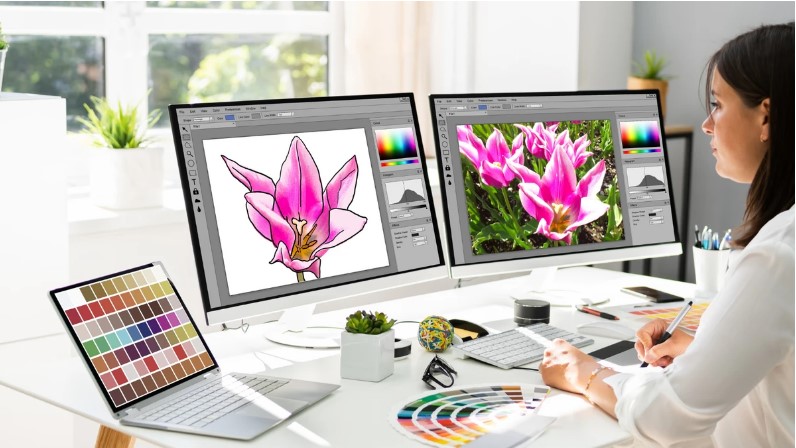
Each part of the image is redrawn cleanly using tools like Adobe Illustrator or CorelDRAW.
Step 3: Curve Refining
Smooth curve shapes ensure clean edges when printed.
Step 4: Color Matching
Pantone/CMYK/RGB codes are matched to your brand guidelines (if provided).
Step 5: Layer Separation
Objects are placed on separate layers for editing and printing flexibility.
Step 6: Final Export
The final artwork is provided in all major vector formats—AI, EPS, SVG, PDF, etc.
The result? A perfectly clean, scalable, print-ready file.
Who Can Benefit From Vector Conversion Services?
Let’s break it down:
Graphic Designers
Often receive poor-quality client logos. Vectors fix that.
Print Shops
DTG, sublimation, screen printing—vector files are a must.
Small Businesses
Need professional logos for branding, packaging, and merchandising.
Marketing Agencies
Vector files help maintain brand consistency across all materials.
Clothing Brands
T-shirt designs, patches, tags, and labels all require clean vector artwork.
Signage Companies
Large-scale prints demand scalable vector logos.
Why Investing in Professional Vector Art Conversion Pays Off
You might think converting images into vector files is a simple task, but it’s not something you want to leave to chance.
Professional conversion ensures:
- Your brand looks polished everywhere.
- Your prints come out crisp and clean.
- Your artwork scales perfectly on any surface.
- You avoid production errors and costly reprints.
- You maintain long-term flexibility for future design updates.
Quality vector work brings long-term value. Once done right, a vector file can serve your business for years.
Tips to Get the Best Results from a Vector Conversion Service
Here’s how to make your job easier and your results better:
Send the highest-quality image you have
The clearer the reference, the more accurate the vector.
Provide your brand colors
Pantone, CMYK, RGB, or hex codes—whatever you have helps.
Specify usage
DTG, screen printing, laser cutting each requires a slightly different setup.
Tell them if gradients should stay or be flattened
Gradients can complicate printing, so the artist needs to know your preference.
Request multiple file formats
AI, SVG, EPS, PDF having all of them makes future edits way easier.
Final Thoughts
Vector art conversion is something every designer, brand, or print business needs at some point. It ensures your artwork is clean, scalable, and ready for any production method from T-shirts to signage to packaging. Whether you’re converting a pixelated logo or preparing artwork for large-format printing, professional vector conversion saves time, reduces printing issues, and guarantees perfect results every time.
And if you’re looking for a reliable team that consistently delivers fast, clean, and accurate vector files, Absolute Digitizer is one of the best options out there for high-quality graphic and reproduction work.